


 AI for Microsoft 365 organizations
The AI assistant your security team can say yes to.
OfficeSage works inside Word, Excel, PowerPoint, Outlook and Teams — answering from your own documents, with your OfficeSage workspace hosted in Montréal.
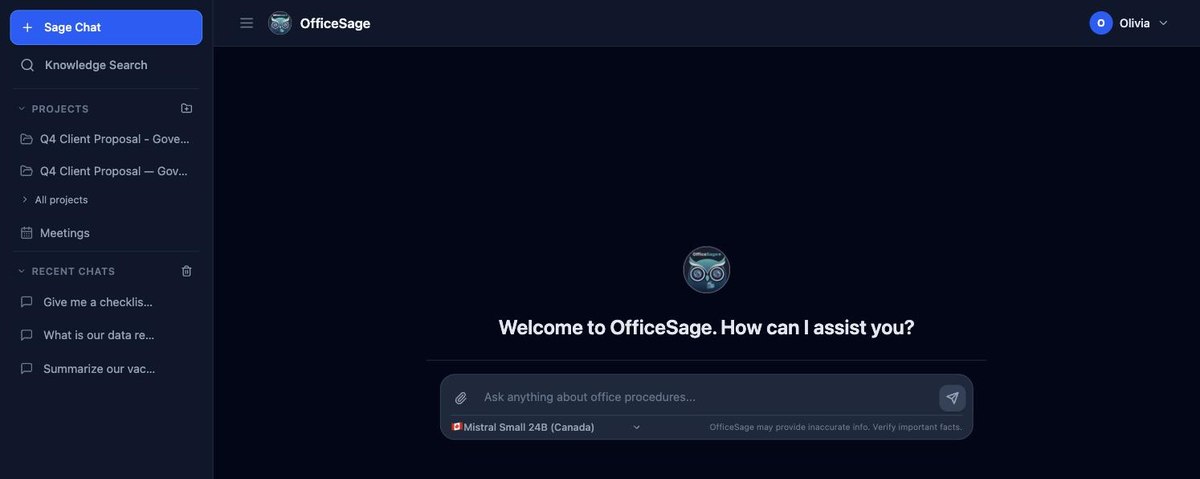
- Hosted in Canada
- Dedicated deployments available
- Permission-aware answers
- Bilingual EN + FR
The things IT actually asks about.
Screens from the OfficeSage web app.
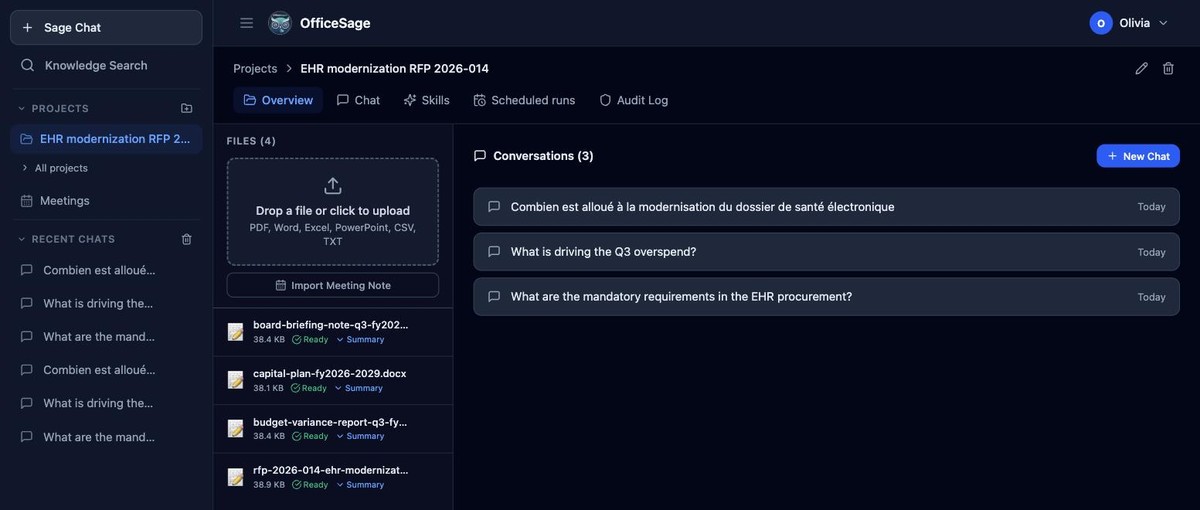
Scoped workspaces with their own files, instructions and audit log — for one bid, one policy review, one piece of work at a time.
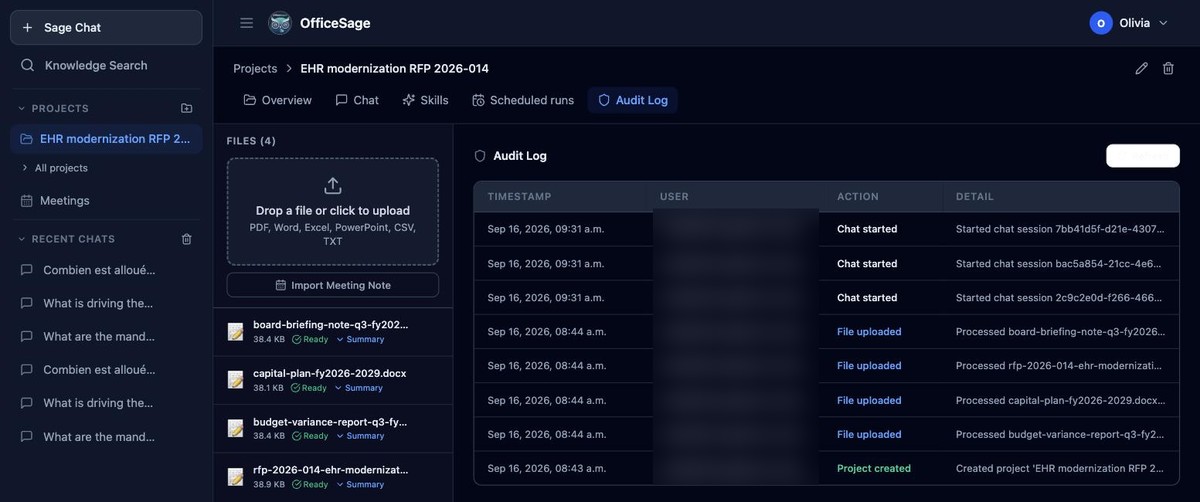
Every project keeps its own audit log — a real screen your IT lead can open, not a promise in a slide deck.
Not another chat tab. An assistant inside the tools your team already opens.
OfficeSage installs as an Office add-in and a Teams app. It reads the document you are in, and it can act on it — so the work happens where the work is.

Word
Rewrite, shorten or continue any passage in your own tone, work through a live outline, and resolve document comments.

Excel
Explain a dataset in plain language, write formulas, build pivots, and apply conditional formatting from a described intent.

PowerPoint
Turn a Word document into a first-draft deck in your template, with editable charts and conversational speaker notes.

Outlook
Summarize a long thread, draft replies that match how you write, and refine or re-tone a message from the ribbon.

Microsoft Teams
Structured meeting recaps with owners and due dates, bilingual summaries, saved to the organizer's OneDrive.

The web app
Ask across everything your organization has given you access to, with a library of your meeting summaries.
Teach OfficeSage how your team works.
A procurement review, a briefing note, a policy analysis: every team has a way these are done. Write it down once as a skill, and OfficeSage applies it whenever a question in that project calls for it: the steps, the structure, the rules.
Start from a library built for this work
Procurement review, Briefing note, Policy analysis, Security review, Legislative drafting support, and Answer only from the file.
Exact arithmetic on your spreadsheets
Add a spreadsheet (CSV or Excel) to a project and OfficeSage can filter, group and total it with real calculations (sums, averages, medians, counts) instead of estimating.
You decide what each project can use
Your documents, data analysis, connected systems — through its skills.
Nothing is lost
Every edit keeps the previous version, and the project audit log records who made it.
Coming next: scheduled runs. Set a question to run hourly, daily, weekly or monthly, with the results kept in the project.
What is OfficeSage?
OfficeSage is a private AI assistant for organizations that run on Microsoft 365. It works inside Word, Excel, PowerPoint, Outlook and Teams, and answers questions using the company's own SharePoint documents while respecting each employee's existing file permissions.
Your OfficeSage workspace is hosted in Montréal, with a choice of AI models and administrator controls built in. Dedicated deployments are available.
It replaces three things most organizations are otherwise buying separately: an AI writing assistant, a meeting-notes tool, and a way to search internal documents.
One subscription, one security review, one place for IT to see what is being used.
Built for organizations that run on Microsoft 365
Particularly those handling sensitive or regulated information, working bilingually, or supplying government. It is sold to businesses only, and it is designed to be deployed by a small IT team without a data-governance project first.
Professional services
Firms whose product is documents and advice, where client confidentiality decides which tools are allowed.
Government suppliers
Contractors and consultancies working to Canadian handling standards, with procurement and briefing-note workflows built in.
Bilingual organizations
Teams that operate in English and French and need both languages in the product, not just in the interface.
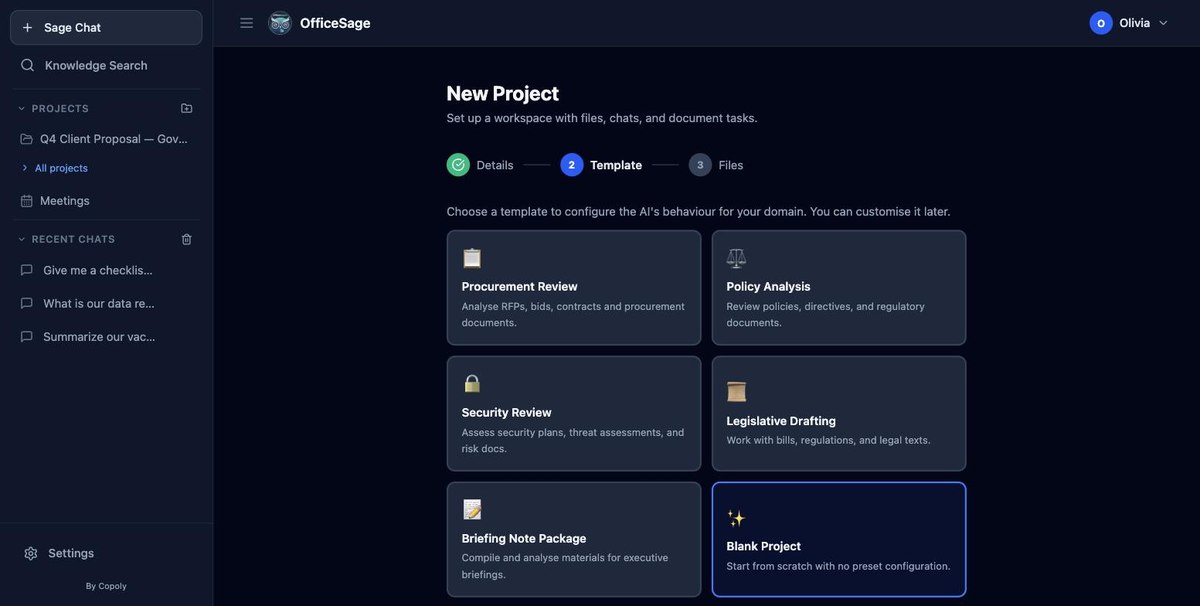
Real templates from the product — the same ones a procurement team or a policy shop would open on day one.
Copilot follows every permission in your tenant, and Microsoft recommends an oversharing review before rollout.
We are not arguing that Copilot is a bad product. We are arguing that "the assistant can see everything you can see" is the wrong default for most organizations.
Microsoft 365 Copilot
- Follows every permission in your tenant, including overshared SharePoint sites
- OpenAI and Anthropic models; no Canadian-hosted option
- Microsoft recommends an oversharing review before rollout
OfficeSage
- Retrieval that fails closed, checked per person and per question
- Your own choice of AI model — including Canadian options
- Deployed by a small IT team, no data-governance project first
See it answering questions about your own documents.
Twenty minutes, no slide-deck. We will show you the assistant working inside Word and Teams, walk your IT lead through the permission model, and answer the security questions while you are on the call.
Built and operated in Canada by Copoly. Available in English and French.