


An assistant inside the tools your team already opens.
OfficeSage installs as an Office add-in and a Teams app. It reads the document you are in, and it can act on it — so the work happens where the work is.

Word
- Rewrite, shorten or continue any passage in your own tone
- Work through a live outline — summarize, expand or rewrite a section
- Insert, answer and resolve document comments
- Optional track changes and undo when OfficeSage rewrites your selection

Excel
- Explain a dataset in plain language, in English or French
- Write formulas, build pivots, apply conditional formatting
- Generate charts from a described intent, not a wizard
- Warns before it overwrites populated cells, and cites what it used

PowerPoint
- Turn a Word document into a first-draft deck in your template
- Real editable charts and native placeholders — not pasted images
- Write speaker notes and restructure decks conversationally
- Deck check flags slides whose source data has since changed

Outlook
- Summarize a long thread and pull out who owes what
- Draft replies that match how you actually write
- Refine, shorten or re-tone a message from the ribbon in one click
- Draft a meeting invitation from the conversation, calendar-aware

Microsoft Teams
- @mention OfficeSage in the meeting chat and type summarize for a structured recap
- Decisions, action items with owners and due dates, open questions
- Bilingual summaries — English and French, together or separately
- Saved to the organizer's OneDrive

The web app
- Ask across everything your organization has given you access to
- Project workspaces with their own files, instructions and audit log
- A library of your meeting summaries
- Usage reporting for administrators, exportable as PDF
Connected systems
Connect OfficeSage to the systems your team relies on through the Model Context Protocol (MCP), the open standard for connecting AI assistants to tools.
- An administrator adds each connector, and can switch it off at any time
- A connector's tools can be used only in projects whose skills name them
- Calls to connected tools are recorded: the tool, the time, who asked and what was sent
Ask anything, with your own permissions.
The web app is where OfficeSage lives outside the ribbon: one place to ask a question, start a scoped project, and see what the assistant has been used for.
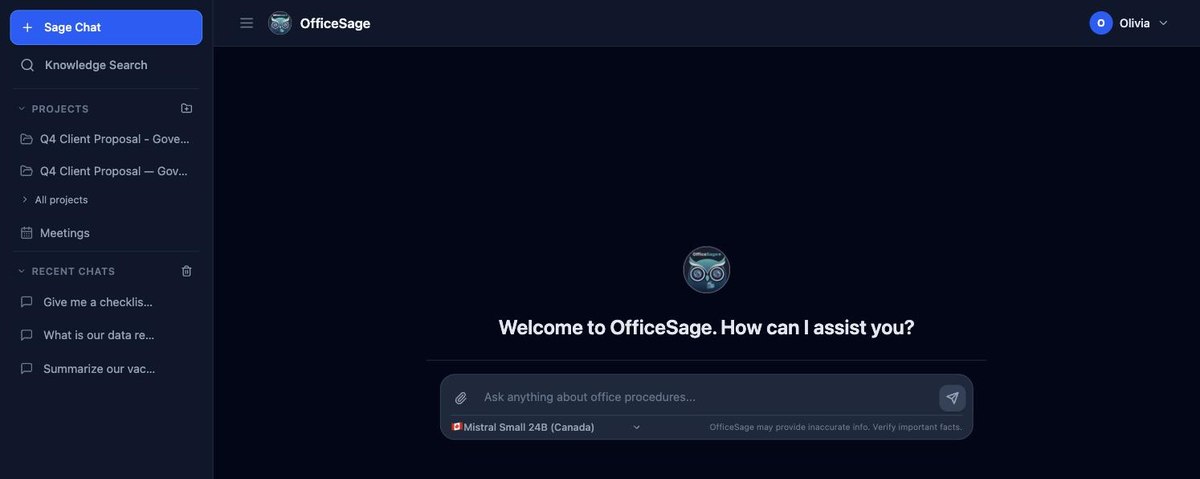
Ask anythingAcross everything your organization has given you access to — with your choice of model for the question at hand.
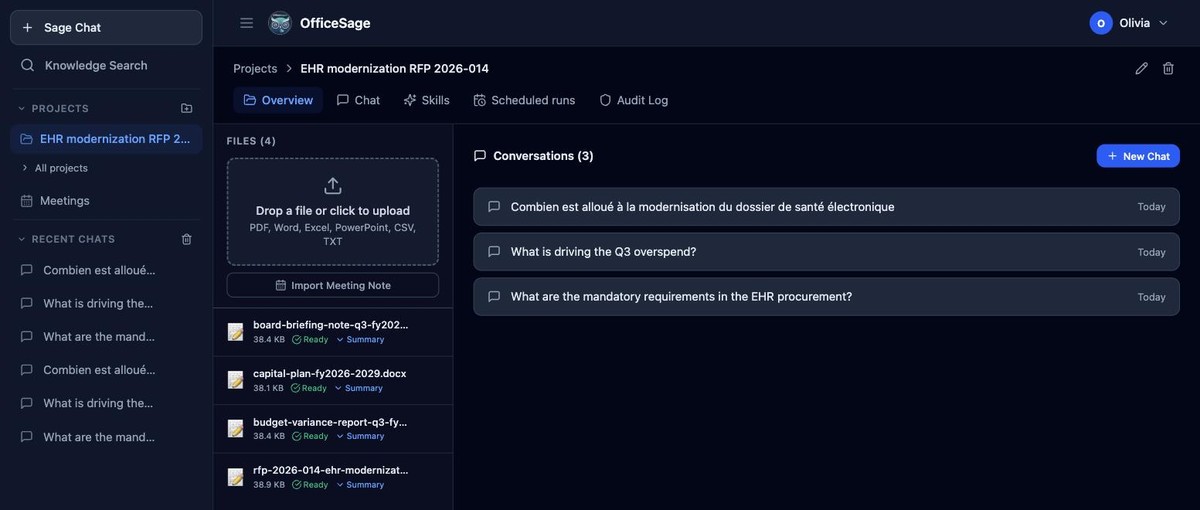
Project workspacesTheir own files, instructions and audit log — scoped to one piece of work, like a bid or a policy review.
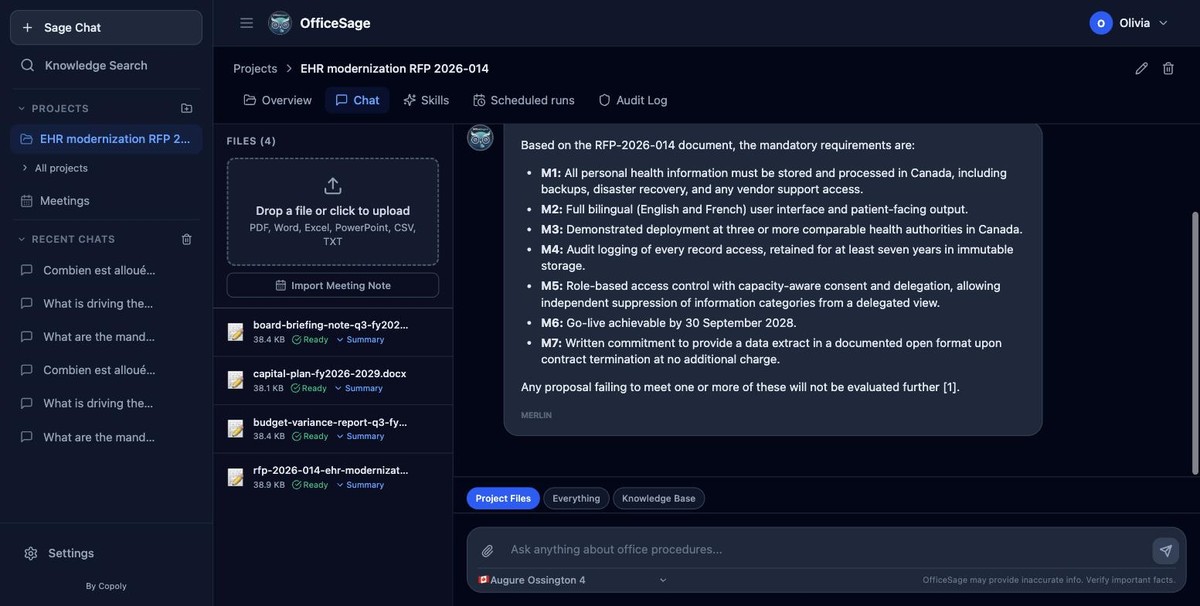
Scoped retrievalChoose whether a question can draw on this project's files only, or the wider knowledge base — never silently everything.
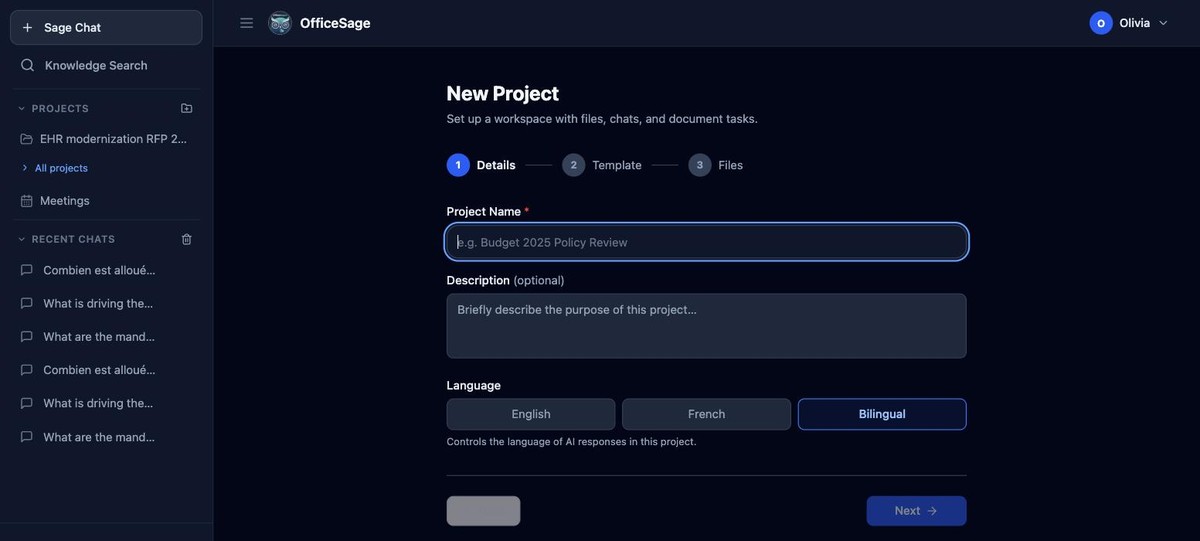
Bilingual by defaultSet a project to answer in English, French, or both.
Deeper per-app pages are coming
Standalone pages for Word, Excel, Outlook, Teams and AI model choice — with screenshots and worked examples — are on the way.
See it working in your own tenant.
Twenty minutes inside Word and Teams, with your IT lead on the call.